This report is similar to Payroll Register and displays the summary report of the Attendance vouchers. The configuration and button functionality are the same as in other Payroll Register report.
-
Gateway of Tally > Display More Reports> Payroll Reports > Attendance Register.
Alternatively, press Alt+G (Go To) > type or select Attendance Register > and press Enter.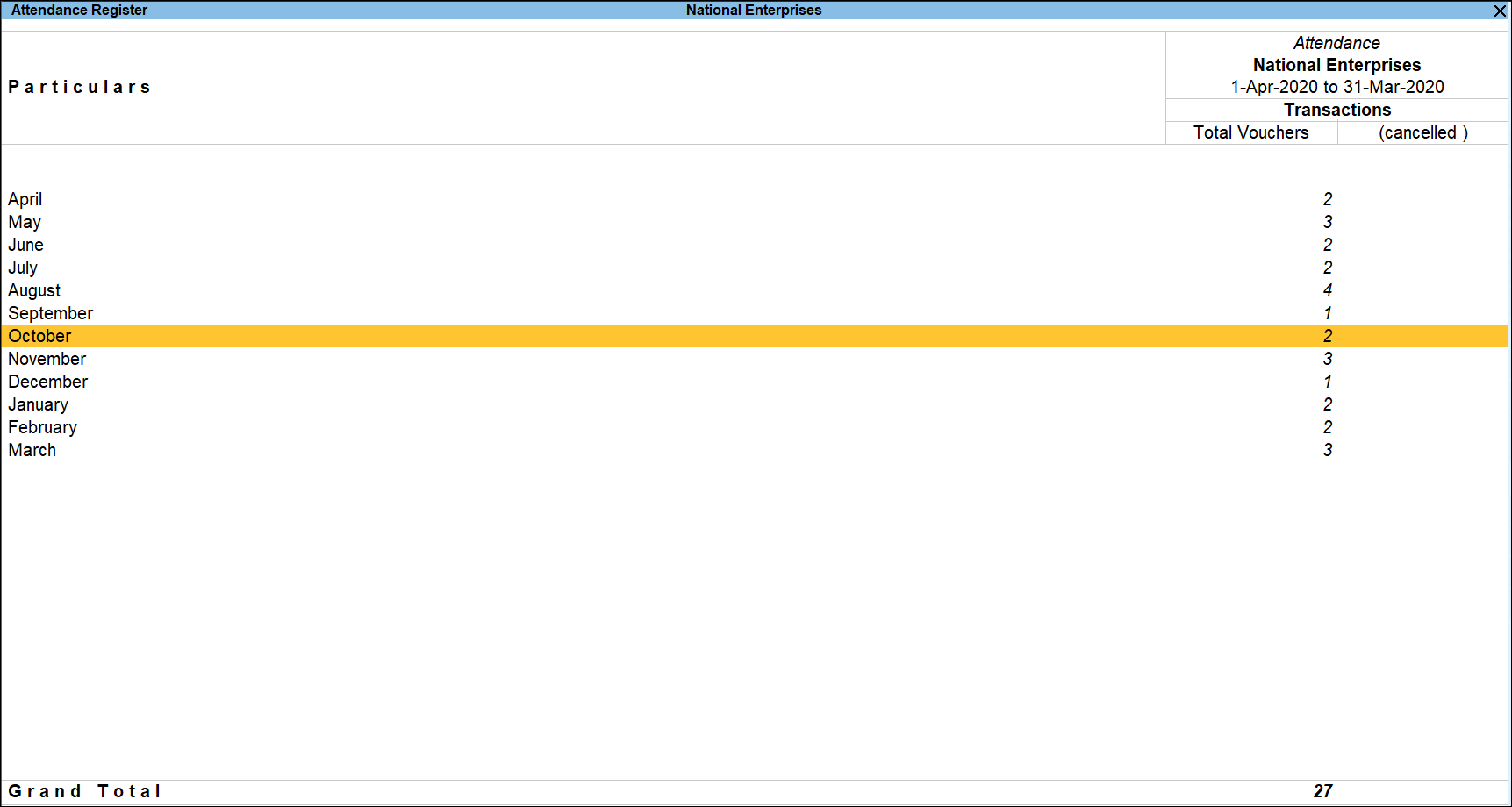
-
Ctrl+H (Change View): You can display the details of a report in different views with additional details or for a specific period. You can also view other reports related to the current report.
To view the Daily Summary, press Ctrl+H (Change View) > type or select Daily Summary > press Enter. Press Esc to view the default report. - Press F12 (Configure).
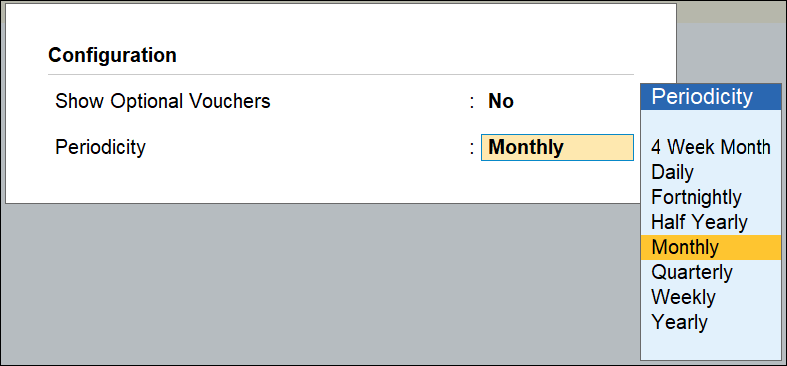
- Show Optional Vouchers.
- Set the Periodicity to use as shown below:
Was this article helpful?
That’s Great!
Thank you for your feedback
Sorry! We couldn't be helpful
Thank you for your feedback
Feedback sent
We appreciate your effort and will try to fix the article