- Exporting from Tally :
-
Once the File is Saved to Export Folder, follow these steps to download the file
Step 1 > Click on the Down Arrow at the Centre of the Screen : ⬇️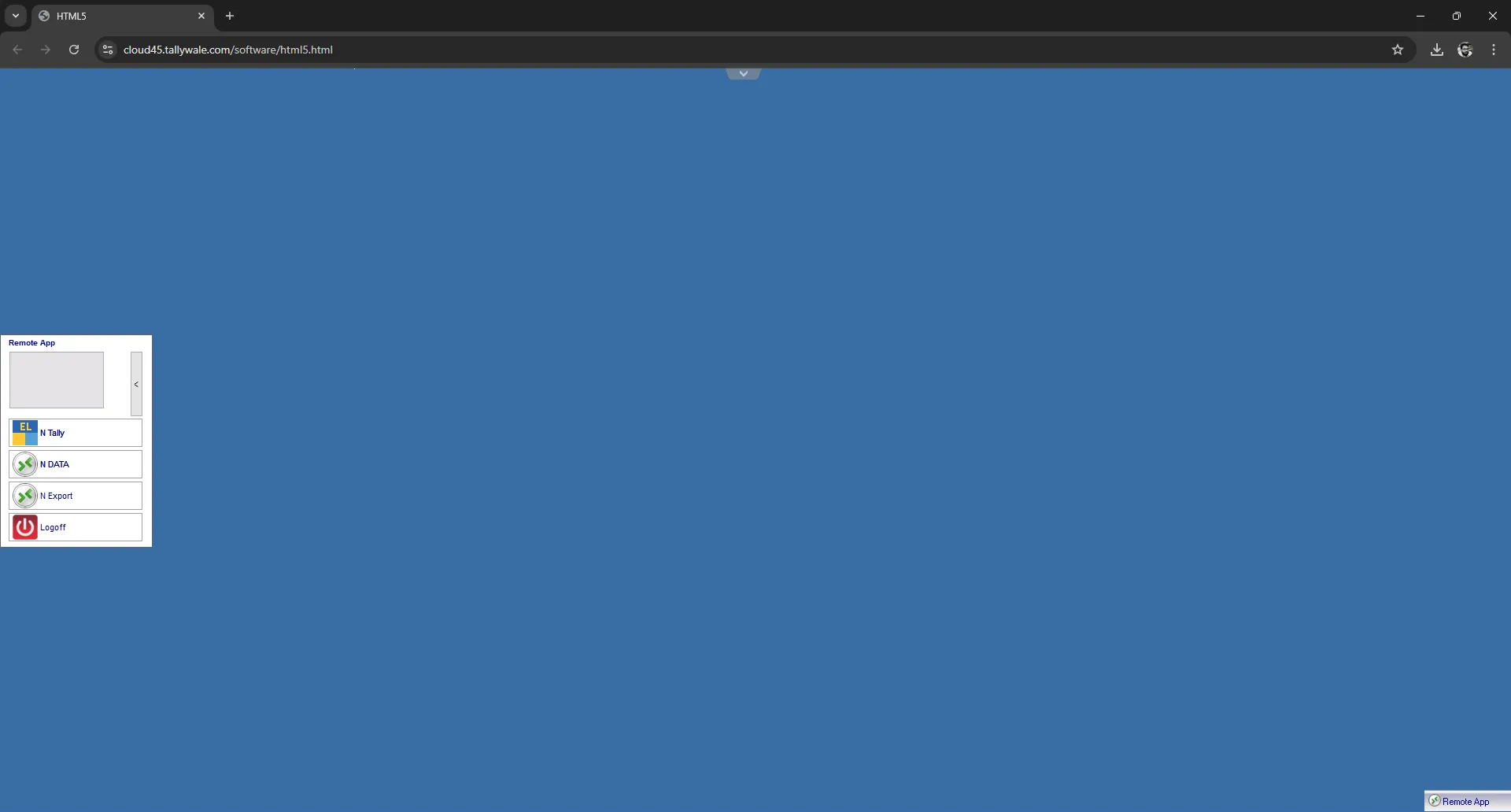
Step 2 > Click on this icon (Cloud with Download)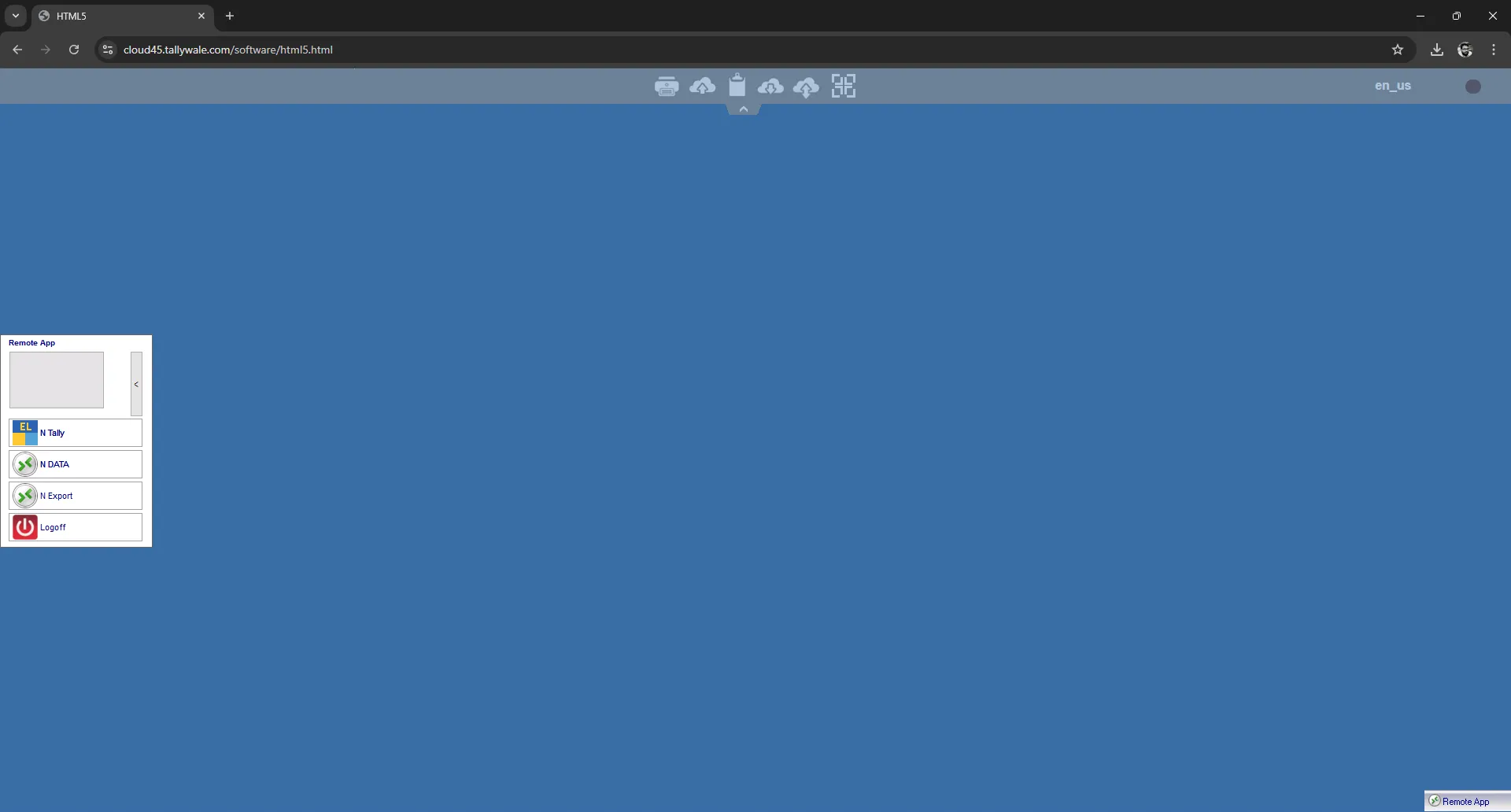
Step 3 > open the file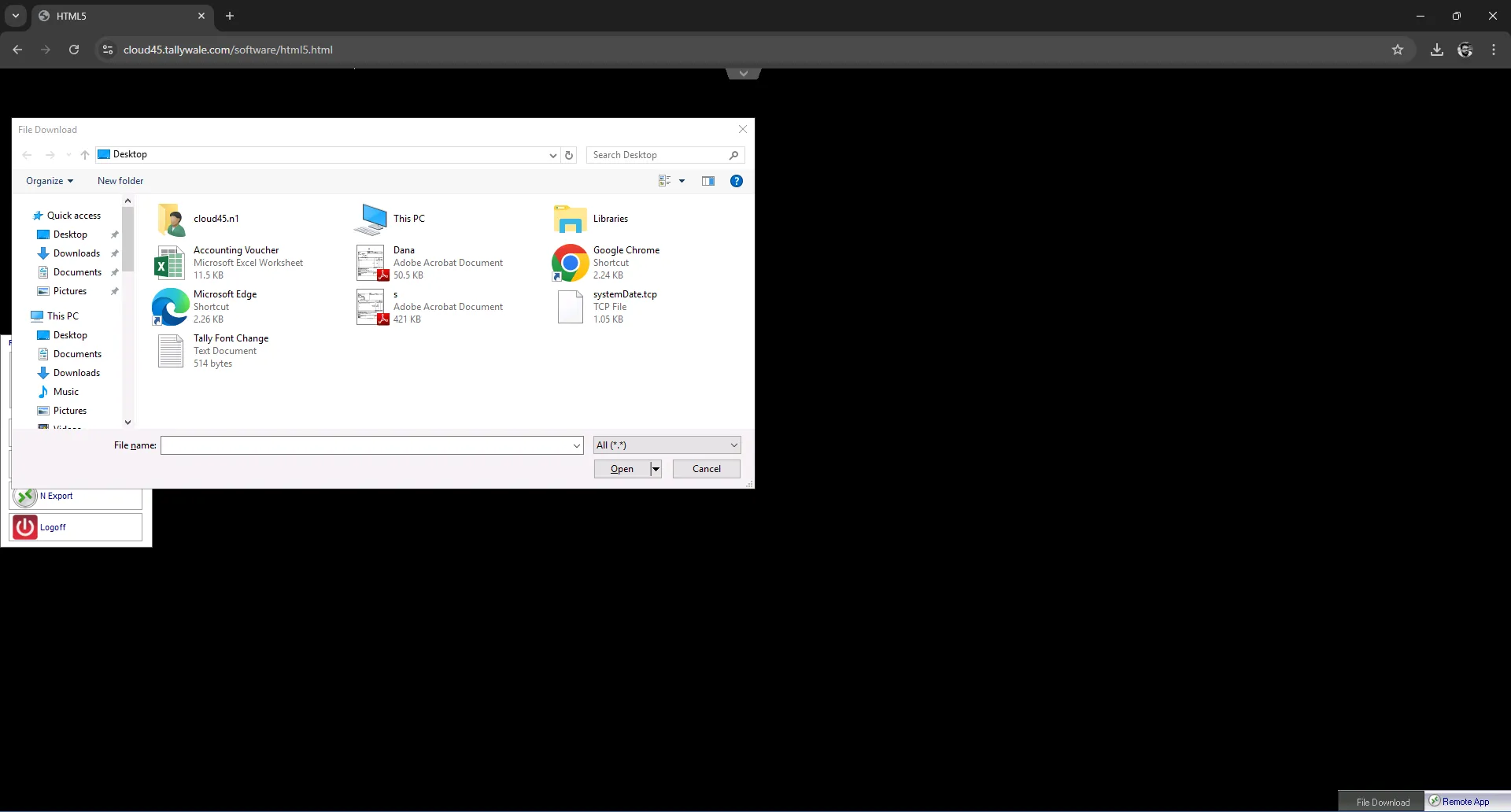
Step 4 > open the export folder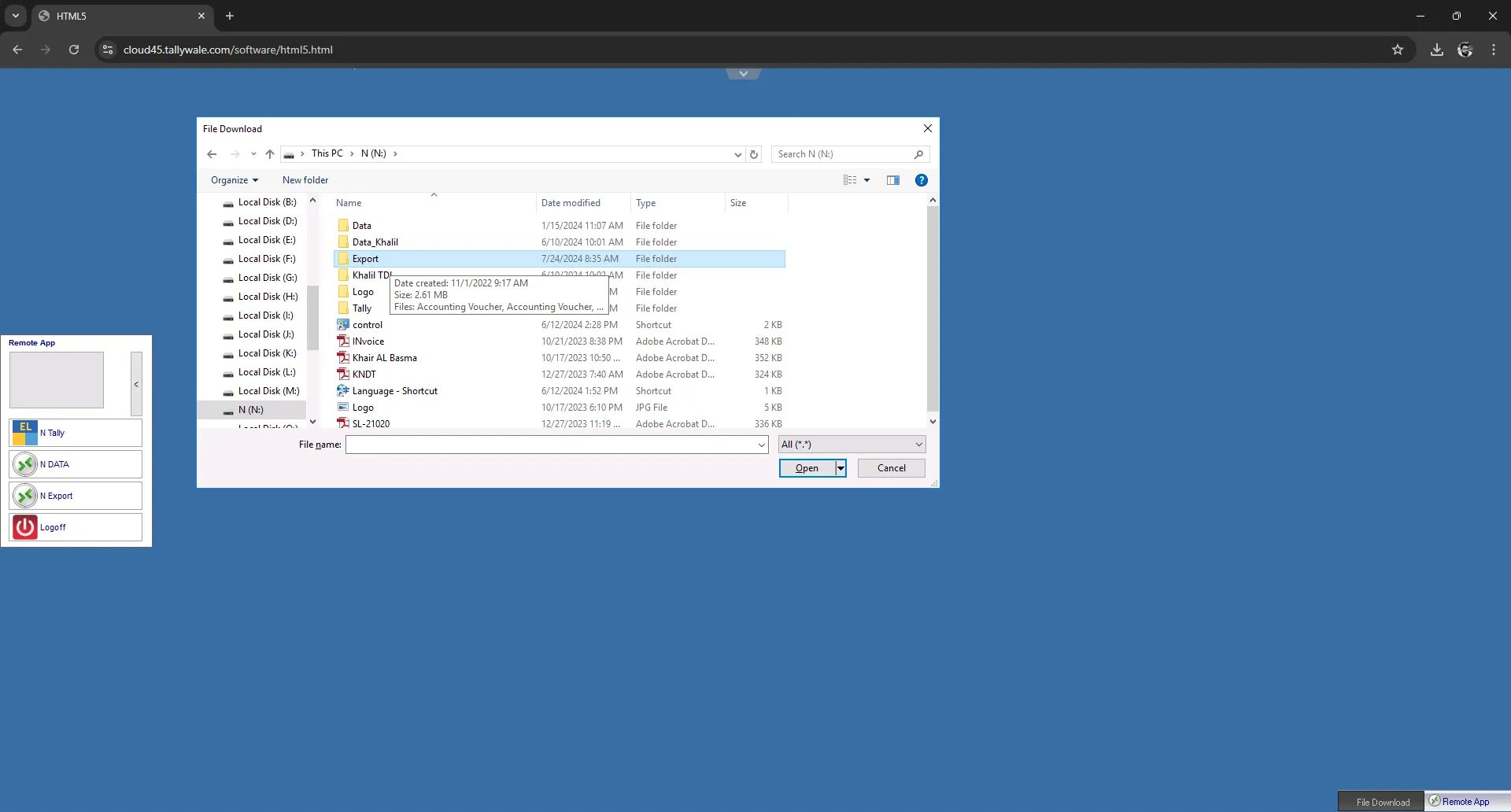
Step 5 > Select the folder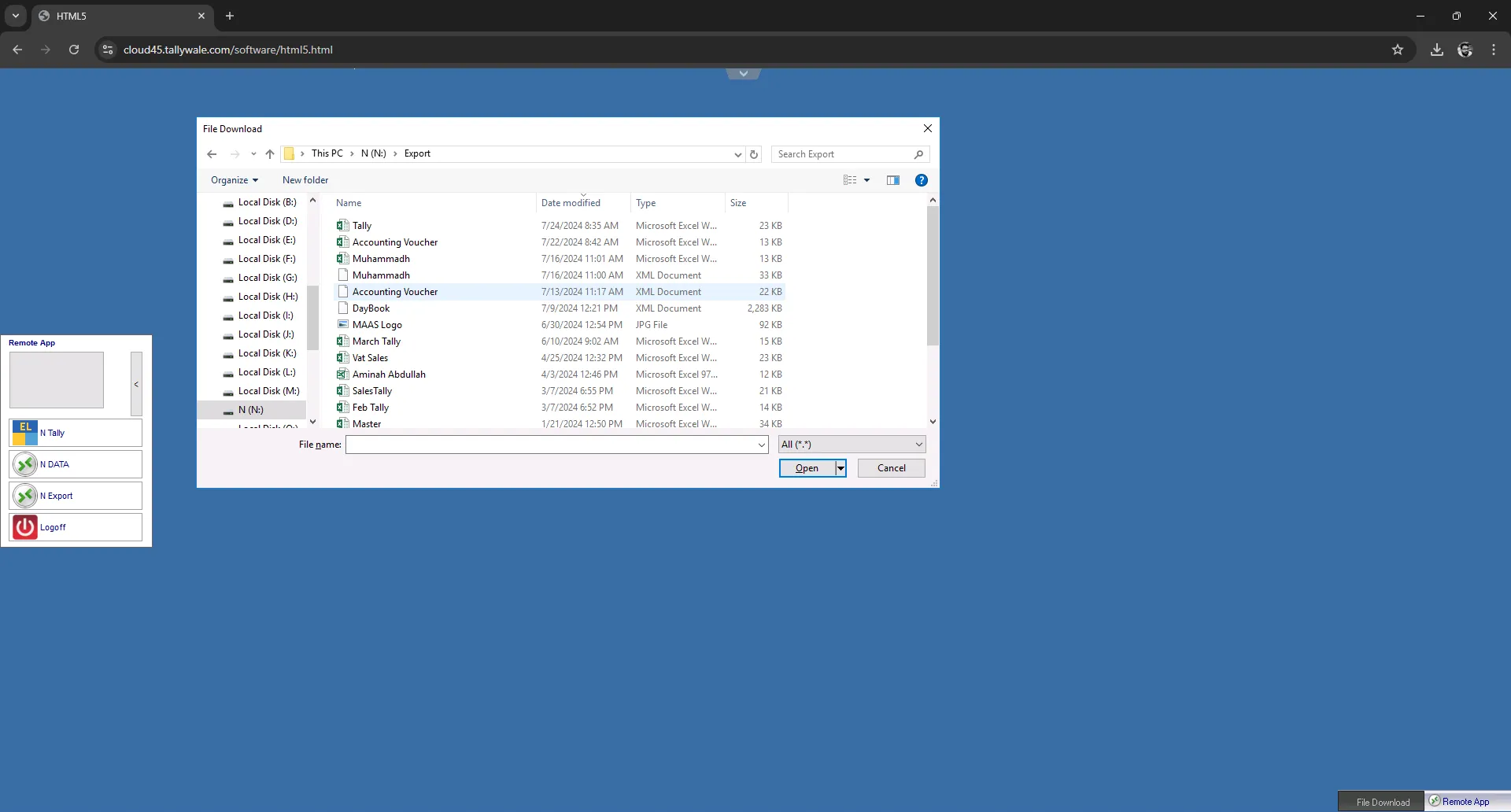
Step 6 > Select file and Export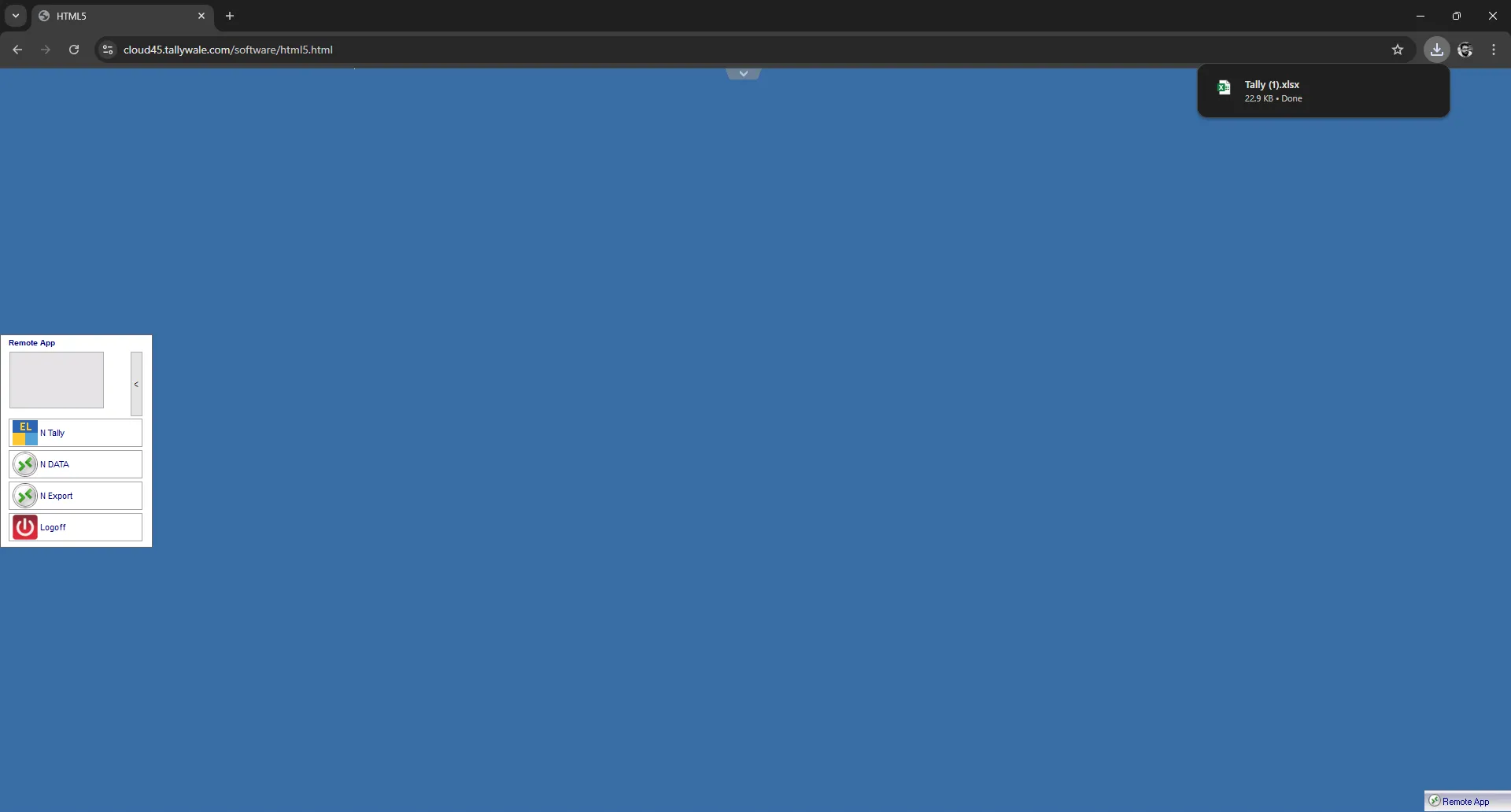
Was this article helpful?
That’s Great!
Thank you for your feedback
Sorry! We couldn't be helpful
Thank you for your feedback
Feedback sent
We appreciate your effort and will try to fix the article